A taste of iOS, with AI features.
The beautiful, private photo gallery for Android that understands your photos without ever sending them anywhere.
100% offline · No accounts · No ads · No tracking · No Internet permission
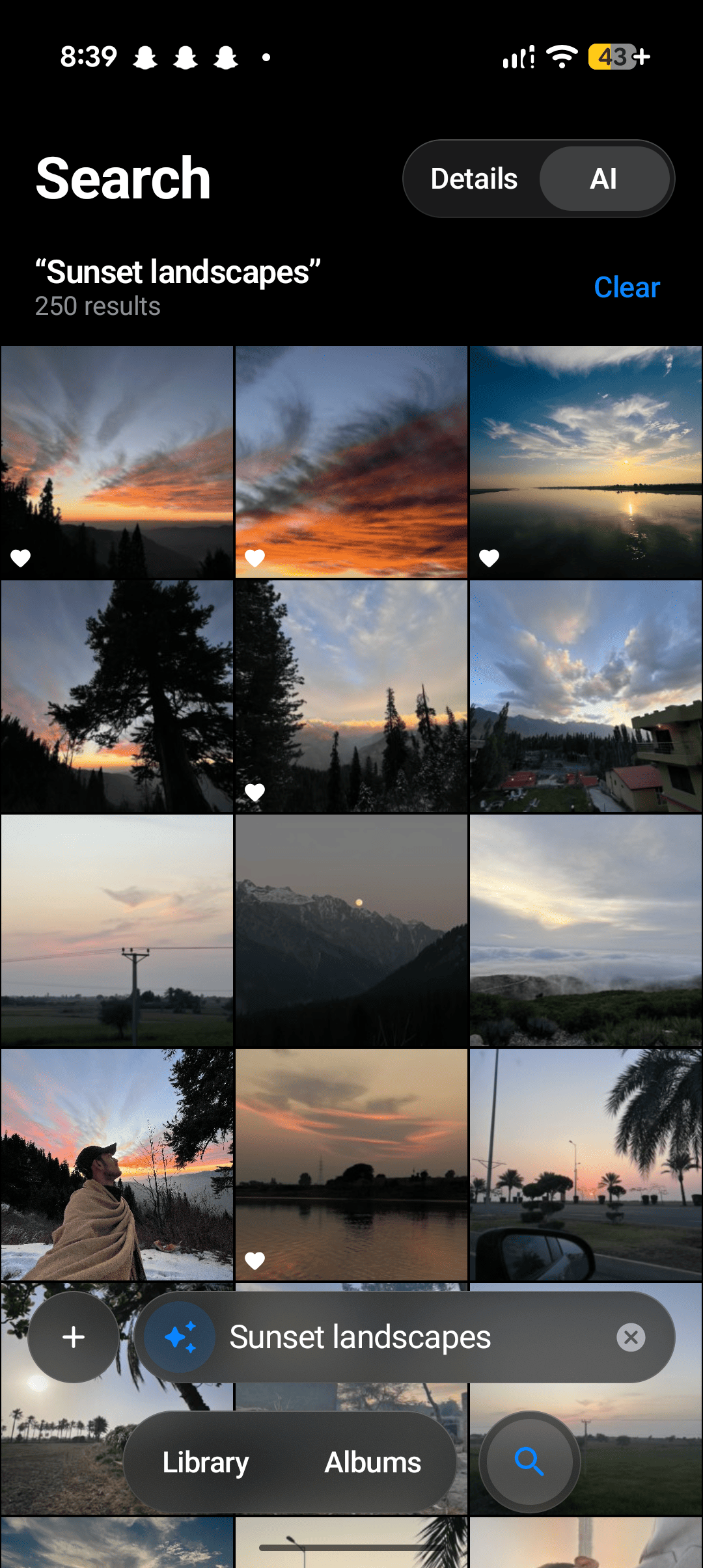
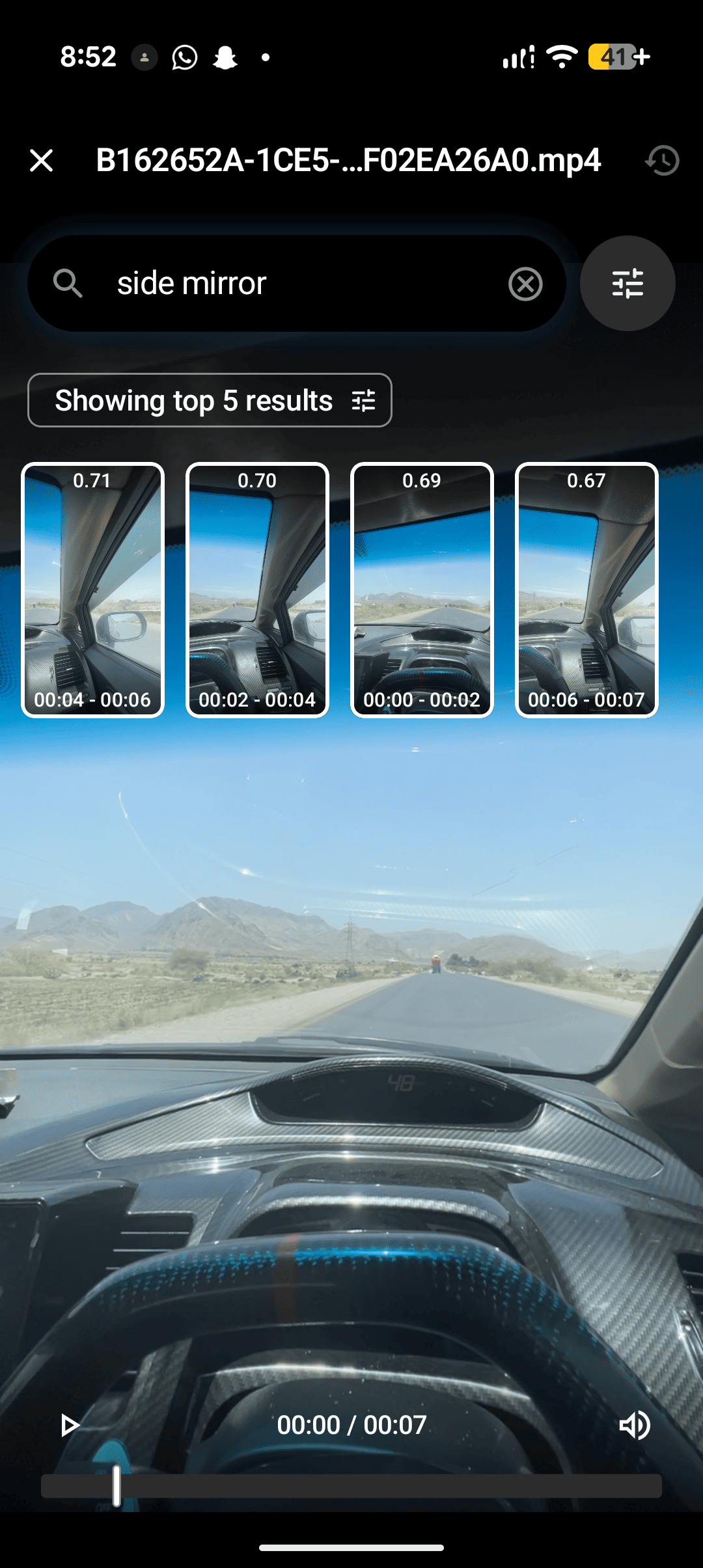
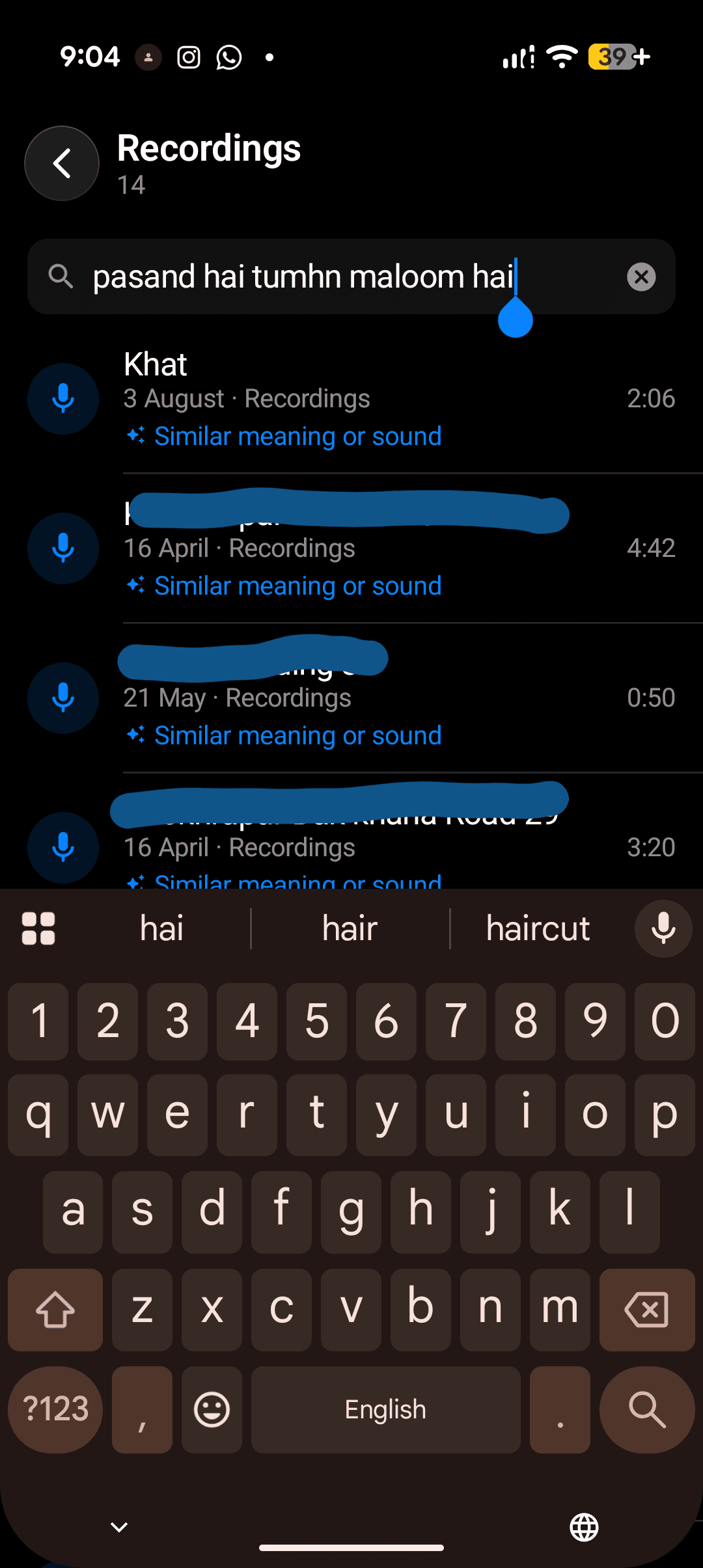
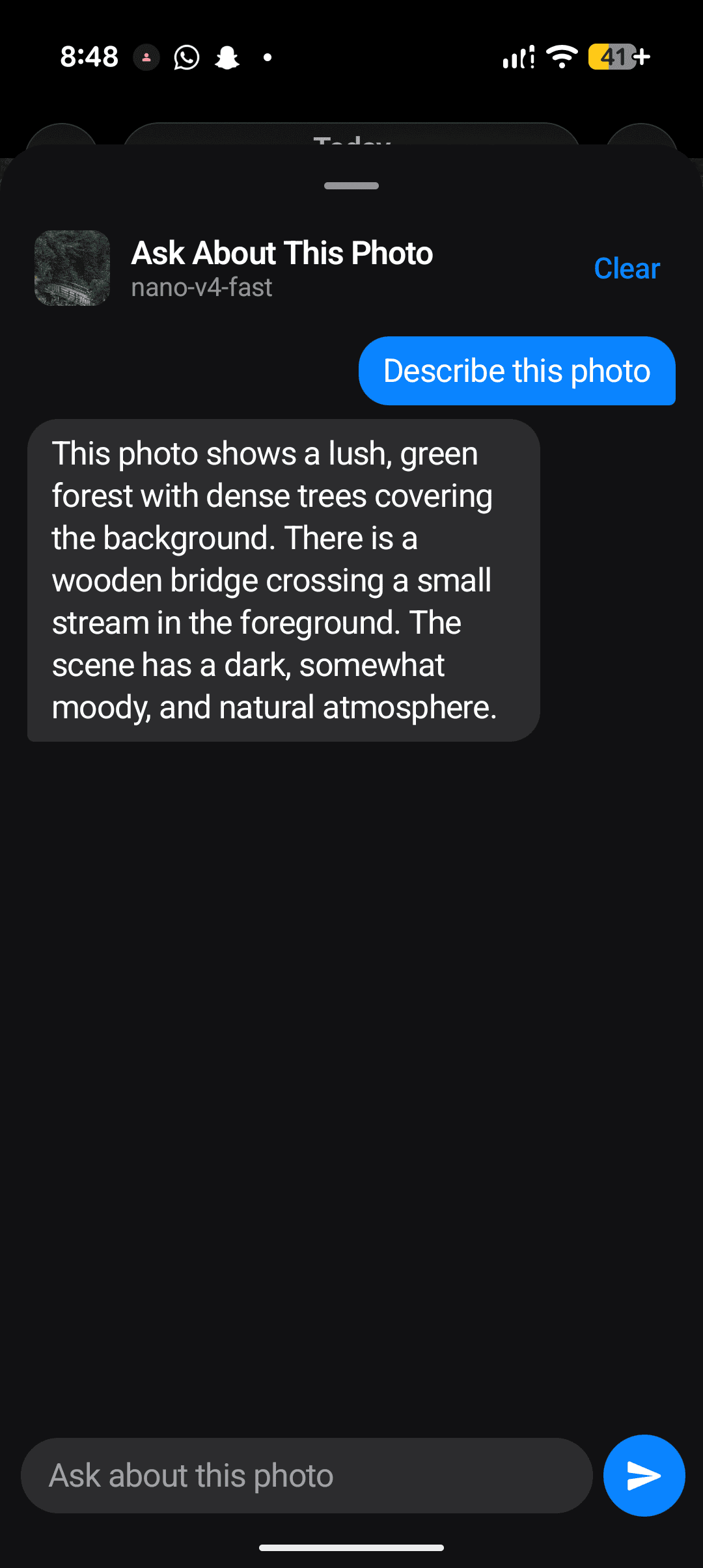
Your phone holds years of memories, receipts, screenshots, trips and the people you love. Most galleries either show them as an endless grid or ask you to upload everything to the cloud before they get "smart".
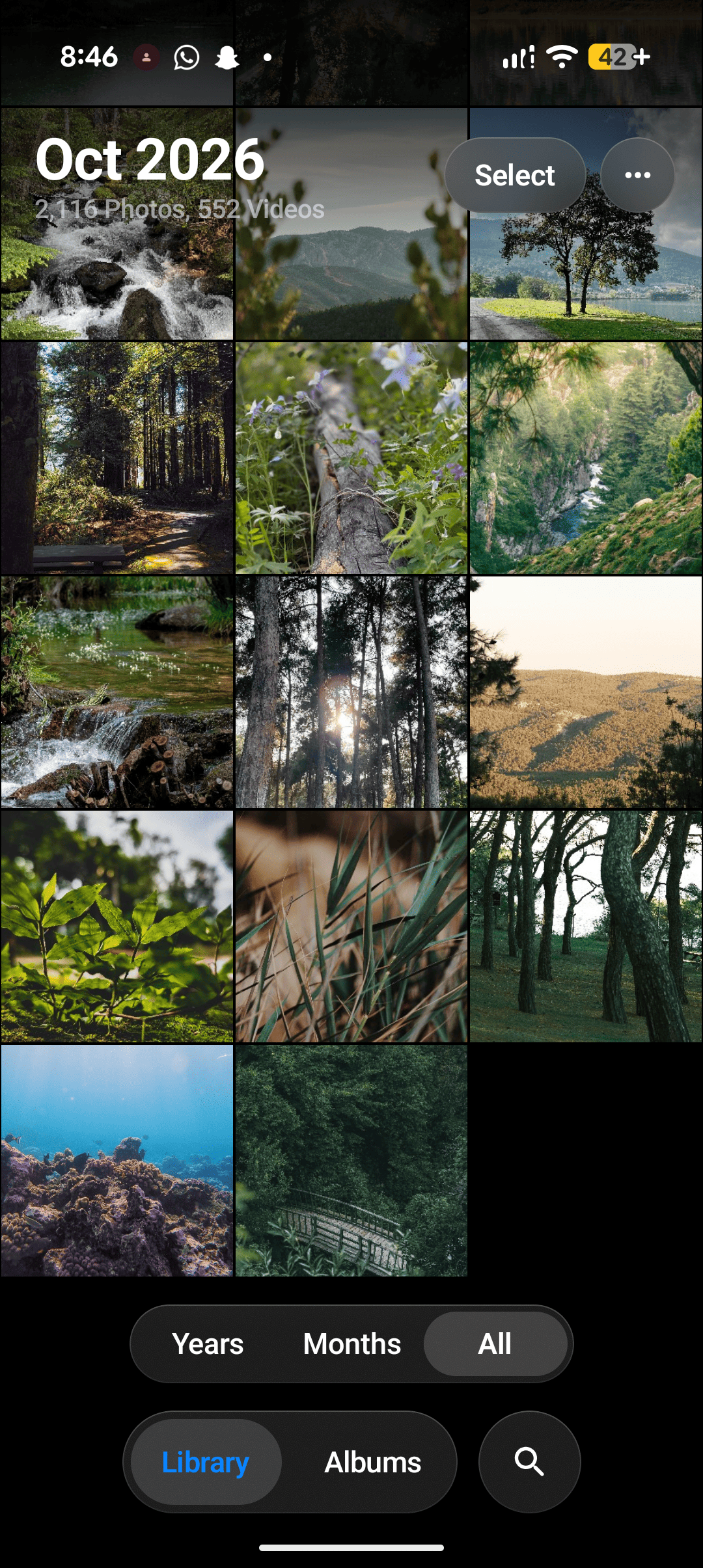
AIPhotos does both jobs on the phone itself. It gives you the clean, fluid feel of iOS Photos, with frosted-glass bars, buttery pinch-to-zoom grids and an iPhone-style viewer. On top of that it adds on-device intelligence: search by describing a photo, find text inside pictures, recognise faces, sort photos into your own categories and clean up clutter. All of it runs on your phone. AIPhotos can't upload your photos even if it wanted to, because it doesn't have the Internet permission.
| 🔎 Search like you think | "dog on the beach", "receipts from last week", "night videos in london 2024" |
| 📝 Text in Photos | Find any screenshot, note, receipt or sign by the words written in it |
| 👤 People | Faces grouped into people automatically; name them, find them in search, and tune the grouping with presets and sliders |
| 🗂️ Your own Categories | Describe a category in words ("my car", "receipts") and matching photos gather there, new ones included |
| 🧹 Clean Up | Duplicates, burst retakes, blurry and blank shots, old screenshots, huge files, each reviewable full screen with adjustable thresholds. Favorites are never touched |
| 🎬 Find Moments | Describe a scene and jump to the exact second inside a long video |
| 🔒 Truly private | Everything stays on the phone. No account, no cloud, no analytics, no network |
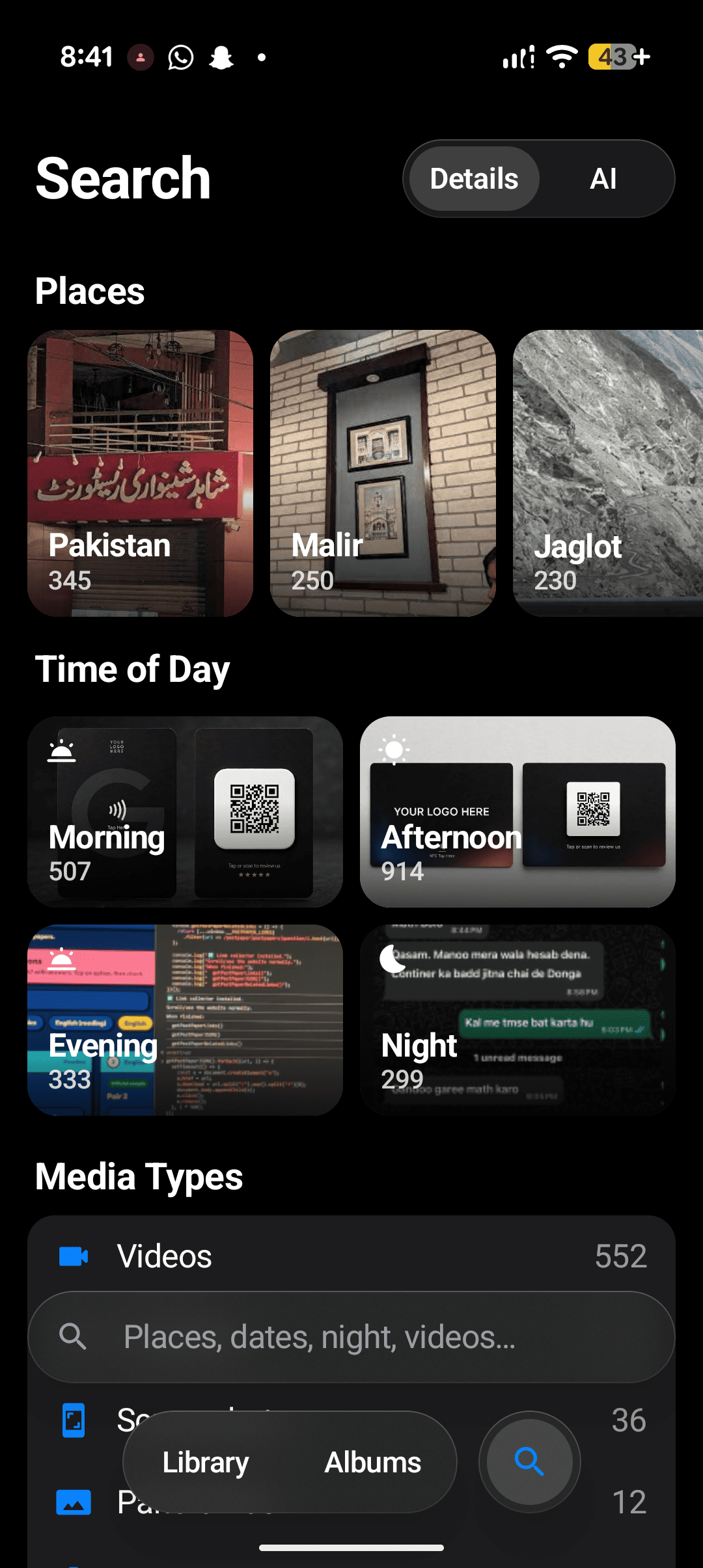
AIPhotos has two search modes, and you can switch between them at any time.
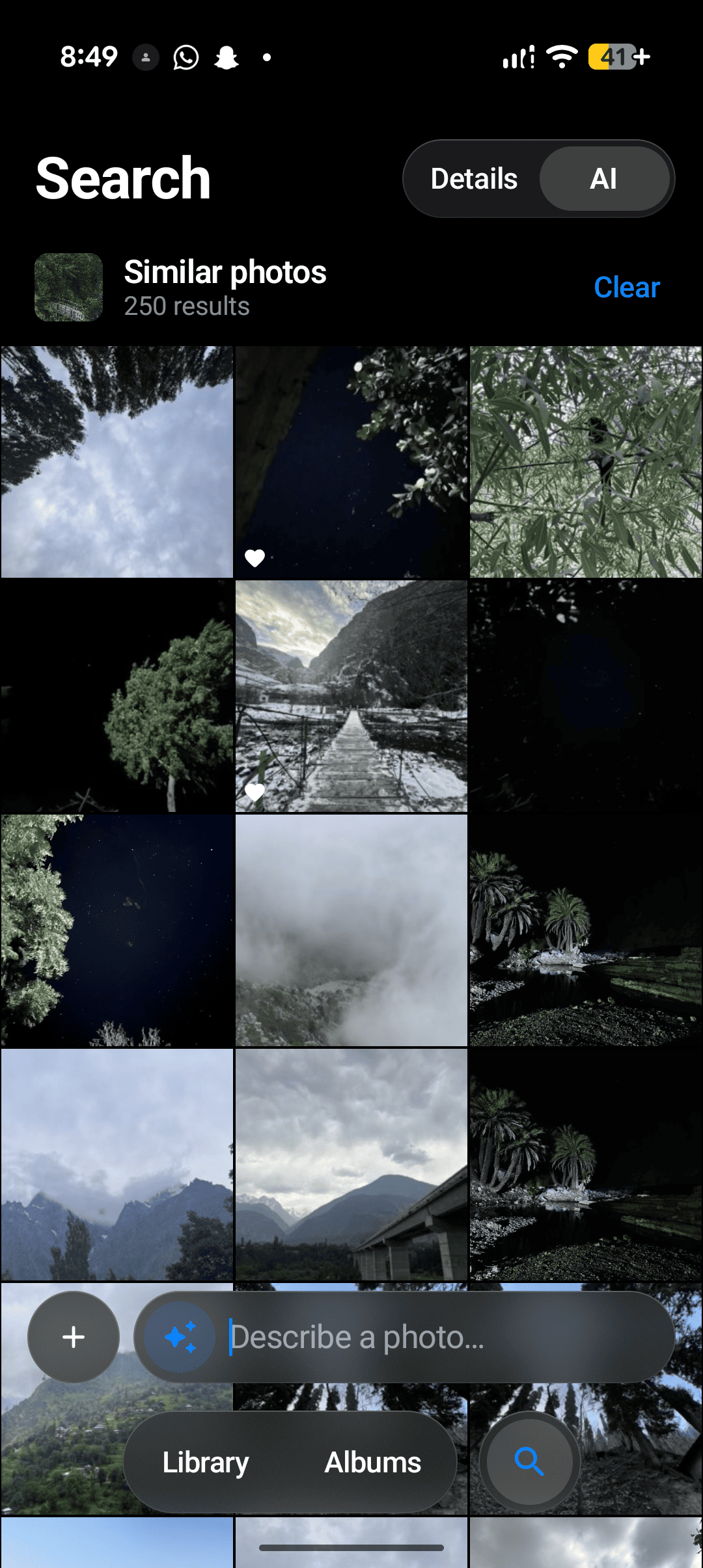
Terms combine, so "night videos in london 2024" just works. With an empty search box, the Explore page shows your places, times of day and media types. The keyboard opens as soon as you switch to Search, and the search bar sits right above it. - AI (optional Smart Search) finds photos from a plain description: "kids playing in the snow", "a red car", "birthday cake". You can also use Find Similar Photos, search with a picture, or Live Search, where you point the camera at something and see matching photos instantly.
AIPhotos reads the words in your photos, on the phone, and makes them searchable. - Type a shop name and get the receipt. Type a Wi-Fi password, a flight number or a quote and get the screenshot. - In AI search, photos containing your words are moved up: to the very top when the words are specific (a brand, a name), and given a gentle lift when they're common. - Open Info on any photo to see and copy its text. - Uses Google ML Kit's text recognizer, bundled inside the app and fully offline. It reads Latin-alphabet languages. - One switch in Settings → Text in Photos. Turning it off deletes every bit of text read so far.
Make your own smart albums without tagging a single photo. 1. Give the category a name, then describe what belongs, in as many ways as you like: "a receipt", "a bill from a shop", "an invoice". 2. Optionally say what to keep out: "a restaurant menu". 3. Slide Strictness while a live preview shows exactly which photos match, with the weakest matches at the end so you can see where to draw the line.
A category matches the same photos AI search finds for its words, so searching "sunset" is a quick way to check what a "Sunsets" category will hold. New photos are sorted into your categories automatically as they're analyzed. When you browse your library, small category pills appear on each photo; tap one to open that category. You can edit or delete a category at any time, and deleting it never touches your photos.
Free up space in minutes, and keep the photos that matter. - Duplicates: exact copies, confirmed by comparing the actual file contents, not just names. The original is kept. - Similar Shots: bursts and retakes taken moments apart. The sharpest one is kept and the rest are pre-selected. - Blurry: photos that are out of focus everywhere. Portrait-mode photos with a sharp subject and blurred background are not flagged. - Dark or Blank: pocket shots and covered lenses. - Old Screenshots: screenshots older than a month. - Large Files: everything over 25 MB, biggest first, with the size on each tile.
Review before you delete. Tap any suggestion to see it full screen; tap its check mark to select or deselect it. Photos marked to keep can still be selected. Clean Up Settings has a slider for every threshold (how blurry, how alike, how far apart in time, how dark, how large, how old), and changes apply straight away.
Favorites are never suggested for deletion. Everything you delete goes to Recently Deleted for 30 days, so nothing is lost by accident.
Read the full policy in PRIVACY.md, or view the online privacy policy.
All this analysis runs on the phone, so AIPhotos is built to stay out of your way: - Each photo is analyzed once. A single decode gives its text, its Clean Up measurements (a 64-bit picture fingerprint, sharpness and brightness: about 30 bytes per photo) and nothing more. Edited photos are re-checked; everything else is skipped. - Background work pauses while you scroll, while the phone is warm, and when the battery is low. It resumes exactly where it stopped. - Categories cost no extra AI work. They reuse the search index Smart Search already keeps, with a few searches per category rather than a pass over every photo. Changing the strictness slider is instant, and new photos are sorted in batches as they're indexed. - Text search uses a full-text index on disk, so a word is found among tens of thousands of photos in milliseconds, without holding the text in memory. - Duplicates are confirmed by reading just 128 KB of each candidate file, and only for files that already share an exact size. - Thumbnails are sized to the grid, prefetched ahead of your scroll, and swapped for tiny ones during fast flings.
Smart Search powers AI search, Find Similar, Live Search, Find Moments and Categories. It uses Google's EmbeddingGemma model, running entirely on your phone.
embeddinggemma-2-740m.litertlm (about 485 MB) from
https://huggingface.co/litert-community/embeddinggemma-2-740m-litert-lm/tree/main.AIPhotos uses the file where it is, so it never takes up space twice. If Android won't let the AI engine read that location, AIPhotos offers to move the file into its own storage instead. Your photos are then analyzed in the background, including new ones even while the app is closed. Settings → Smart Search → Test Model shows whether the model loads, how fast it runs, and how many photos are searchable.
Settings → People turns on face grouping. No download is needed: the face model is built in. If people are mixed up or split, try a preset there (Strict or Relaxed first) and check People after each one.
Requirements: Android Studio, or JDK 21 with Android SDK platform 37. From Android/src:
./gradlew assembleRelease # app/build/outputs/apk/release/app-release.apk
Or push to GitHub: .github/workflows/build_android.yaml builds the APK and attaches it as a
downloadable artifact.
com.kore.aiphotos. Minimum Android 12 (API 31)..github/workflows/build_face_model.yaml, which converts
GhostFaceNet to TFLite and verifies it against the original. You only need to run it to rebuild
the model.Kotlin · Jetpack Compose · Material 3 · Hilt · WorkManager · Media3 (ExoPlayer, Transformer) · Coil · Haze · CameraX · LiteRT and LiteRT-LM · MediaPipe Tasks · ML Kit (face detection, text recognition) · SQLite with FTS4.
The full list of open-source licenses is in Settings → Open Source Licenses.
Apache 2.0. See LICENSE.
Developed by Rehan Sathio.